CCE Encoding Failure

Jola

New member
Hi
Can anyone help with a problem I have?
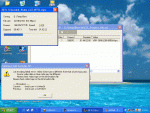
I was converting a Divx to DVD using Chickenmans tutorial which I normally have success with when I got a CCE Encoding Error. I've attached the screenshot. The film plays perfectly as a Divx. On a previous attempt I got these error figures:

Current: Check Sum= 014612a4
Previous: Check Sum= 0144b68b

I did read a very similar post to this and it was suggested to install a cce patch but this seemed to refer to an AMD cpu - mine is a P4.
Btw, What's a check sum?
Any help would be much appreciated.
Thx
 

Attachments

Jola

New member
Rebootjim just replied to my question but for some reason it wont show in the thread. Rebbot said The avi is corrupt.
<Look at the top image. It's 3.2gig, yet thinks it's 5.4 gig.>
It plays ok on the pc, chexked with Gspot and Vdub - so how can I convert successfully?
Thx
 
Apply the CRC Patch if your using CCE 2.50 even if you have a P4. It will always occur with an AMD and only sometimes with a P4.

Making the attchment a bit smaller (as a JPG file, not a huge BMP) would also help our dialup members :D I've just done it for you.
 

rebootjim

Member
Sorry, I realized my response was so far out in left field, I wasn't even in the park :D :eek:
Have you tried encoding it in another encoder?
Have you checked it for bad frames?
 

Jola

New member
Thanks all for your help - CM had the answer once again - much appreciated.
As always, another little problem occurred. Although the original avi is fully in sync throughout the movie the bmpeg muxed file starts ok but runs out of sync towards the end. What's happened? :confused:
Btw sorry about the jpeg thingy.
Thx again.
Jola
 

rebootjim

Member
Without knowing the exact specs of the avi, it's difficult to say why it goes out of sync. Downloaded avi's tend to be much poorer quality than something you do yourself. Especially since it seems most people creating these avi's have NEVER learned how to do it properly, or they don't care, and have obviously never read a forum like this one.
I have always said there isn't an avi that I can't fix, and so far I've been lucky. With the right combination of tools, one can make a fairly decent SVCD quality dvdr, out of just about anything.
I suggest if you are going to create your own movies from downloaded content, you should spend some money on things such as Goldwave, or Sonic Foundry for audio. Canopus Procoder, or at the very least Mainconcept for encoding (sorry, tmpgenc is too slow and blocky). DVDLab or DVD Architect for authoring. Vegas or Pinnacle for editing, as well as the standard freebies such as Virtualdub (Including Vdub-mp3-freeze, Vdub-mpeg, Vdub-mod).
And nothing beats Nero to burn. (I know that one will get some people riled up ;) )
If you're a masochist, you can learn CCE and Avisynth, and get spectacular results with the right application of filters, (and pay WAY too much for an encoder that doesn't even include a gui), and if you're cheap, there are free alternatives for encoding, authoring, and burning, but they are so limited or confusing to use, most people move on to purchase decent software fairly quickly.
The K.I.S.S. principle applies in almost all cases when dealing with suspect source files, and a one-click app like DVD2SVCD is NOT a simple process. The more one messes with a file, the more likely something is going to go wrong, and using dedicated apps to process a file is, in theory, a good idea, the wrong combination of those apps can produce junk.
Case in point: grab an avi that's standard divx, but has been encoded at 14.985fps (half NTSC). See if you can get a finished dvd from it, that will play without being jerky, and stay in sync. Try it with any combination of apps you currently have, and see what your results are ;)
 
Last edited:

Jola

New member
Thanks so much for your help. I'll try the tute first as it looks like the best option for my novice level.
Just one question, as the tute refers to demuxing the mpeg and I started with an avi and converted it using Mr CM's other tute, should I use the resultant bmpeg muxed file as the working file?
Thx again
Jola
 

Jola

New member
Hi and thanks for the advice.
Still have a problem though. I demuixed with Tmpg as stated and the mp2 file was the same (apart from a few bytes) as the mp2 file when I tried the original avi to dvd tutorial. Also when I load the mp2 in Goldwave the file plays back as white noise although the original plays back audio in wmp :rolleyes:
Do you know what I am doing wrong??

Thanks
Jola
 
Hmm.. so the bmpeg muxed mpeg plays back fine in WMP (but with a sync problem). You demux with TMPGenc, load the MP2 into Goldwave and its just white noise? Is that it ? If so then you have a problem with Goldwave. Load the original AVI into VirtualDUB, set Audio to Direct Strean Copy (if it is not already) then hit Save WAV but rename to *.MP3 (as the original audio will actually be MP3). Then use ffMPEGGUI to convert the MP3 to AC3. Author in TMPGENC DVD Author (or whatever) and check for sync sync. If out, then use AC3 Delay Corrector as said in the Tute.
 

Jola

New member
I reinstalled Goldwave which worked this time Thought I'd give this version another try as I didn't quite understand the ac3 step (thx anyway)
I estimated that the audio preceeded the video by 1/2 sec so I calculated the new hz at 44096.
I then followed the rest of the tute and when I played back the result the sync had got much worse to a point where the audio was a scene away from the video.
As mentioned before, the avi plays ok in WMP or similar but I thought I'd play it in Virtual Dub and the a/v was out by about 8 secs. Vdub did introduce skew, would that affect it?
Thing is, my original conversion was avi to dvd using DVD2SVCD and I'm trying to adapt the a/v tute to suit.
Could something be getting mixed up with frame rates?
Thx
Jola
 
When you change the audio Playback Rate to 44096 in your example (you see the time length changes), dont forget you must Resample it back to 44.1, or better still to 48khz (time length does not change).

Can you copy here what GSPOT says about the avi, with regards to Video & Audio.
 

Jola

New member
Thanks for message
Yes I did resample to 44100. Also I did actually try the MPEGUI thing in the end and converted to AC3. I then authored with DVDLab bu didn't get any audio!
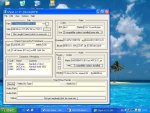
Anyway I've attached the file, this time in jpeg format :)
 

Attachments

Okay the original AVI Audio is MP3 at 48000Hz, so 44096 you use is way off as your assuming it to be 44.1Khz. You didnt have the Downsample 48 -> 44.1 option ticked in the Audio tab of DVD2SVCD did you? If so, untick.
 

rebootjim

Member
The audio is already mp2, and it's already at 48khz, and it's in sync with the video.
Why not use vdub, extract the audio to wav, then encode the video, and mux them in the authoring app?
Don't need to do a bunch of extra converting/encoding.
If the audio is out of sync after authoring, either stretch or shrink the audio by a half second in goldwave (I prefer Soundforge, but it's not cheap), then reauthor (or remux in TMPGEnc's mpeg tools) if your authoring program doesn't take separate streams).
Seems much simpler and faster than re-encoding again in dvd2svcd.
 

Jola

New member
Hi and thx

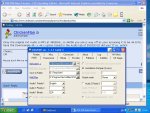
Mr CM - here is a screenshot of dvd2svcd. I don't know how to highlight the audio downsample bit and also there is audio 1 and audio2. I'm also a little confused if you mean have the option ticked or unticked.

Mr rebootjim - as another option, would give more detail as to the proceedure with Vdub etc?

I know I'm a pain but this is not an easily gotten avi so I'm trying to fix it and with your help I know I'll succeed :)

Cheers
Jola
 

Attachments

the 48-> 44.1 option is greyed out so you cant select it, thats good.

To extract the audio with VirtualDUB, well just read back through this thread, I've already told you how

"Load the original AVI into VirtualDUB, set Audio to Direct Strean Copy (if it is not already) then hit Save WAV but rename to *.MP3 (as the original audio is actually an MP3). Then use ffMPEGGUI to convert the MP3 to AC3 (see the separate Tute for this). Author in TMPGENC DVD Author (or whatever) and check for sync sync. If out, then use AC3 Delay Corrector as said in the Tute."
 

Jola

New member
I already tried that and failed. Let's see if I read you right.
Saved as wave in VDub.
Renamed to mp3 in explorer.
Converted to AC3 with ffMPEGGUI.
Authored with DVDLab.

When I tried to play it back in Power DVD, there was no audio.

Cheers
Jola
 

rebootjim

Member
Skip the step converting to AC3. Skip renaming it to mp3 even. Just author it using the .wav
If it is out of sync, you can easily adjust the .wav in Audacity (free audio fixing program) or Goldwave. (I recommend Goldwave, free 30 day demo).
Fixing sync is somewhat of a black art, because every file is different, some the sync is out through the whole video, some it get's progressively worse through it, and some the audio is ahead, some it's behind.
There are tons of threads at www.videohelp.com/forum dealing with audio sync, and basically they all say the same 3 things.
If the audio is AHEAD of the video, add a bit of "dead air" audio to the beginning of the clip.
If the audio is BEHIND the video, chop a bit of audio from the beginning of the clip.
If the audio get's progressively out of sync through the clip, cut a bit of audio from the end of the clip, then stretch the remaining audio to match the video length.
Sound's difficult, but with Audacity and Goldwave, all 3 procedures are very simple. The hard part is guessing how much audio to cut or add, and it's trial and error, error, error, error, error...you get the picture :D
Try authoring with just the extracted .wav and see how it's out of sync, if it's progressive, or ahead or behind video.
 
Top